
Let’s make a video reply to your commenters on Instagram. It saves time and makes the comment section under your Instagram posts more engaging. You need to use your phone for this. Here is how to do it step by step.
Note: It looks like this feature is currently experiencing challenges. You may check the same feature in TikTok here:
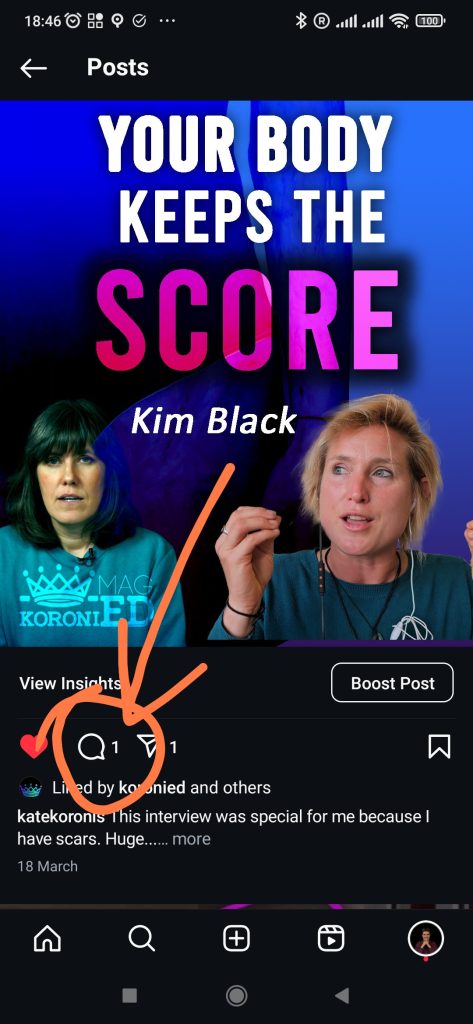
Step 1: Go to the Instagram post where you would like to reply in comments using video
Find replies in the comment section as shown below
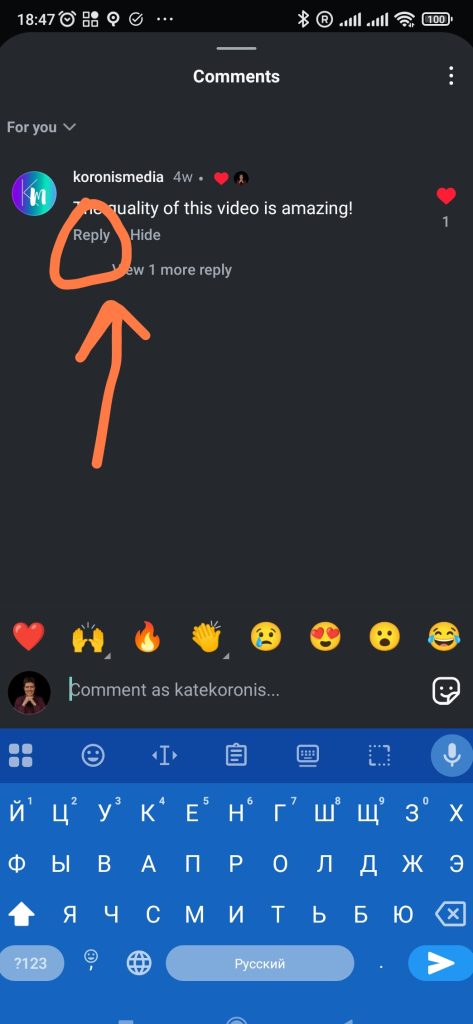
Step 2: Click on reply under the comment you want to start with
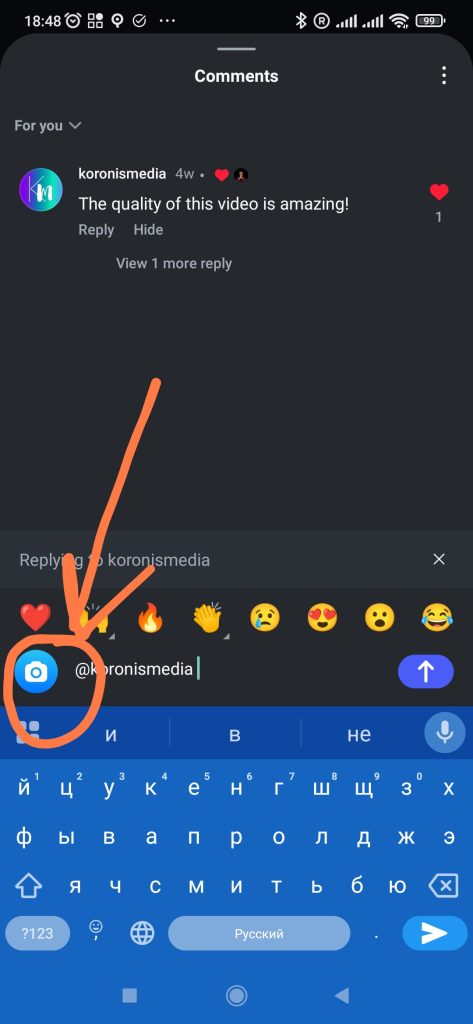
Step 3: Click on the camera button to open the Instagram camera
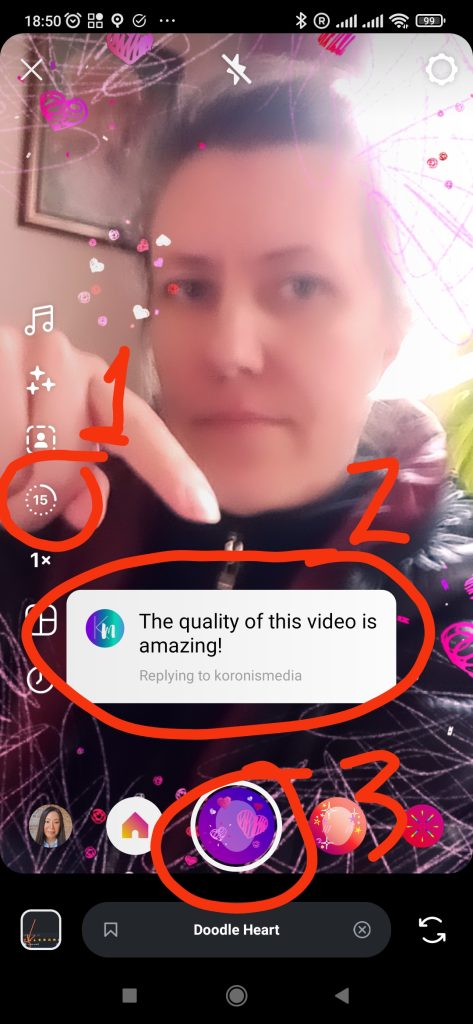
Step 4: Prepare your reel for recording with the following
- Increase the time of your video from 15 seconds to 60 or more if you need, so that you have enough time to respond.
- Move the question in the text box down so that your face will be visible
- Press the record button every time you talk, release when you need to make a pause, and press record again to add more to your reply. (You don’t need to do it all in one take)
Step 5: After completing the recording, hit Next to see what you have recorded
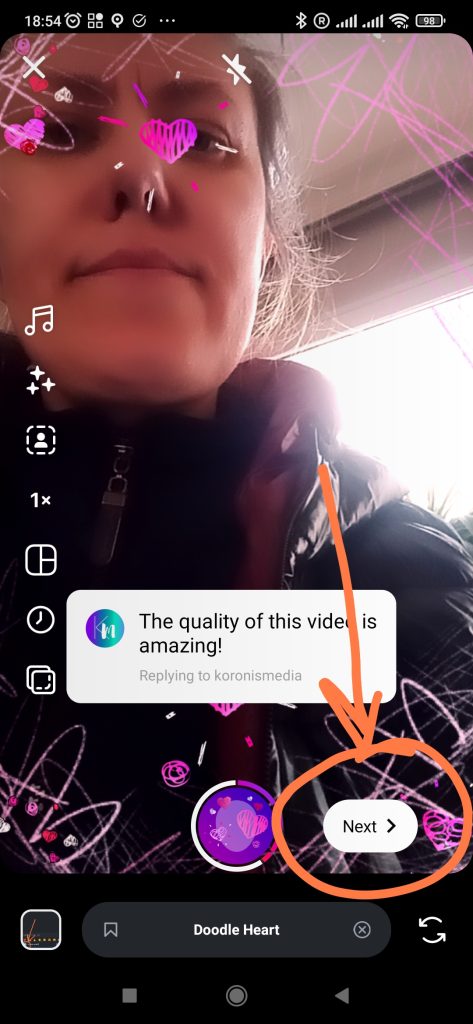
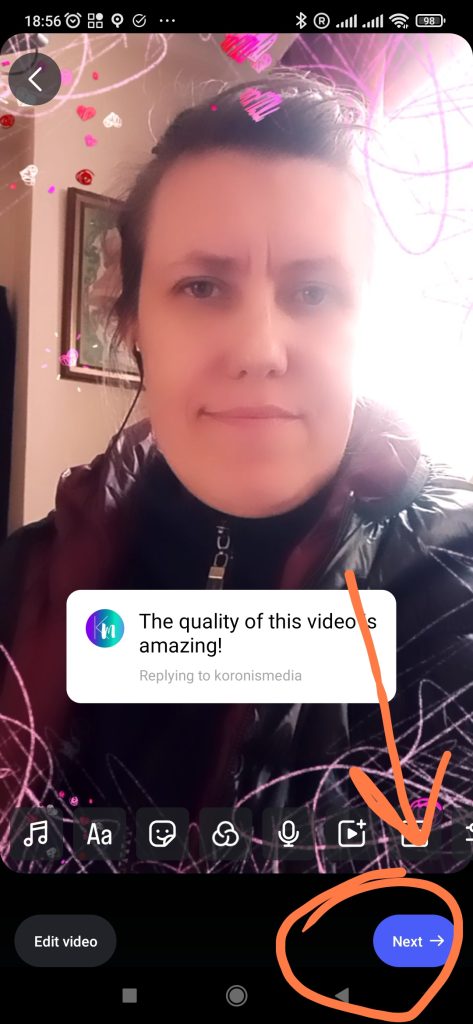
Step 6: If you like your recording, hit Next again. If you want to correct something, go back
At this point you can also edit and trim video. For this click “Edit video”
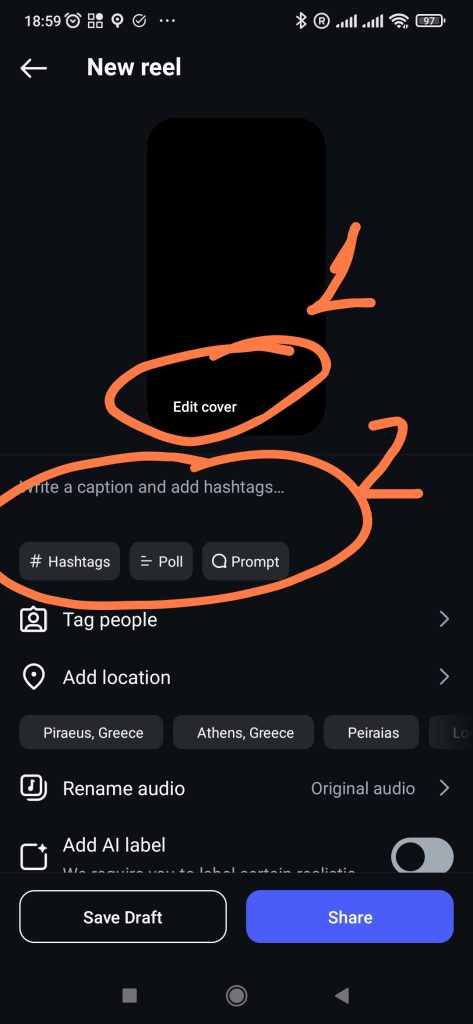
Step 7: Make an attractive Cover, caption and add hashtags
Step 8: Choose how do you want to post
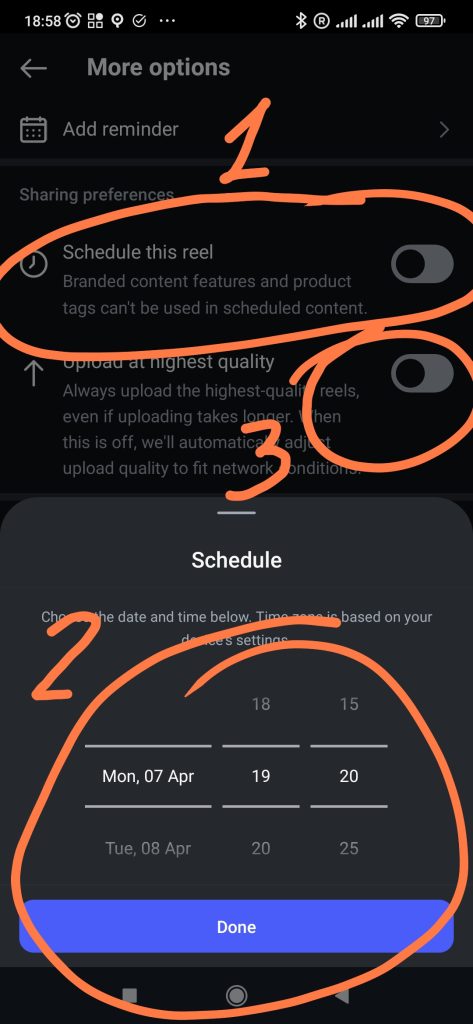
- Click on more options to choose the Quality of publication and Schedule
- If you want to complete the publishing later in this place, you can save a Draft of your video (however, it will take space in your phone’s memory.
- If you have chosen a high-quality posting earlier and do not want to schedule your Reel, you can post immediately
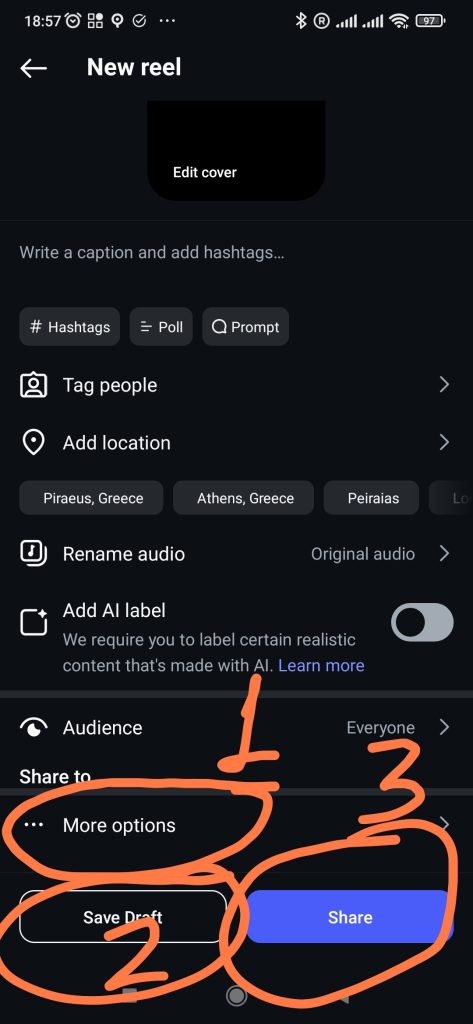
Choose high-quality video and scheduling time in the MORE OPTIONS section.
You need to select the Highest quality video only once. If you want to post immediately, return to the previous menu; if you want to schedule, choose a time and press Done!
Earn More Points by completing this quest every time you make a video reply