
Let’s make a video reply to comments under your TikTok post using your phone. Our observation shows that TikTok in the format of video reply generates more views, because it is engaging, natural and straight to the point. Here is how you do it step by step.
Step 1: Go to the TikTok post with comments
Find comments that contain questions so that you can create an interesting and meaningful reply.
Step 2: Click on reply under the comment you want to start with
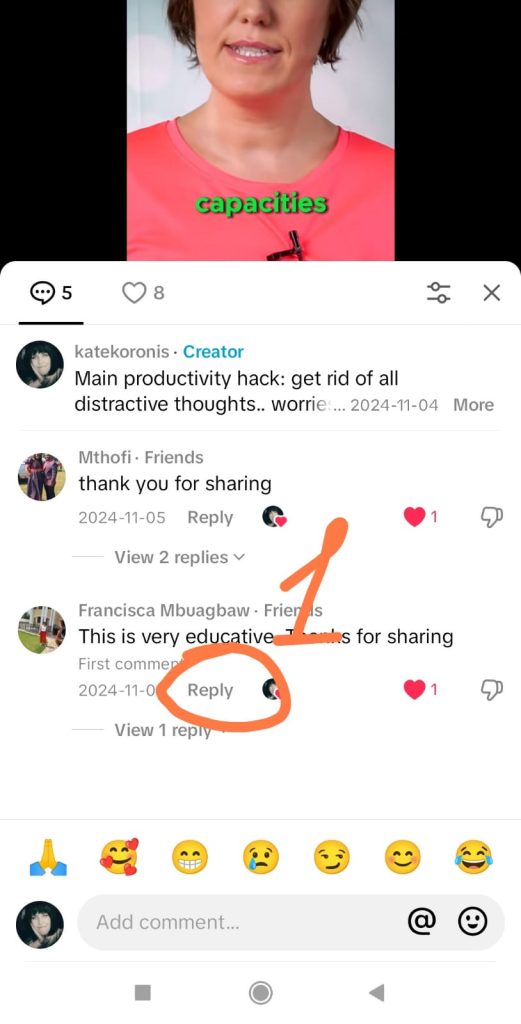
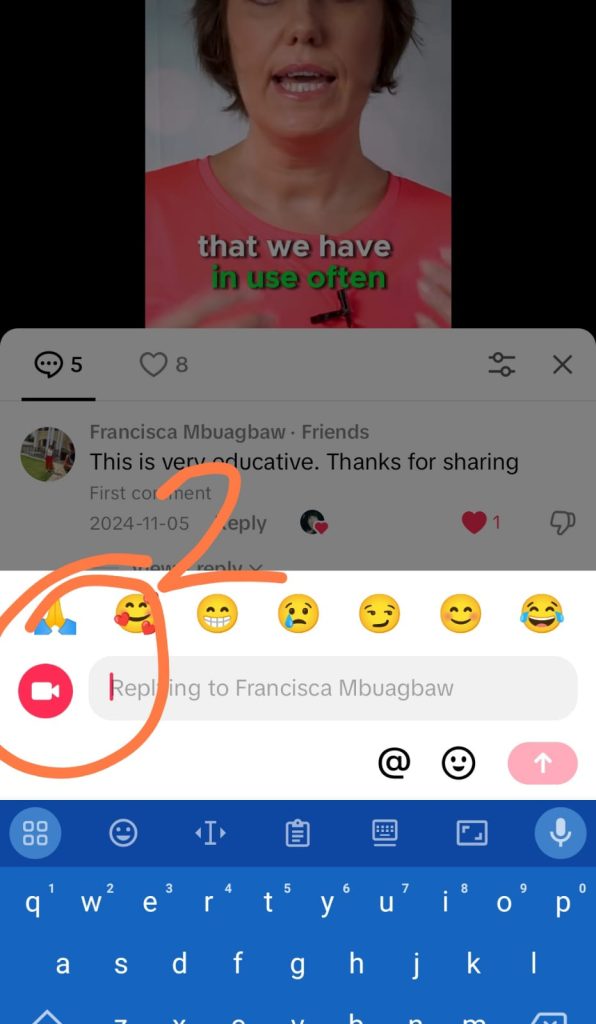
Step 3: Click on the camera button to open the TikTok camera
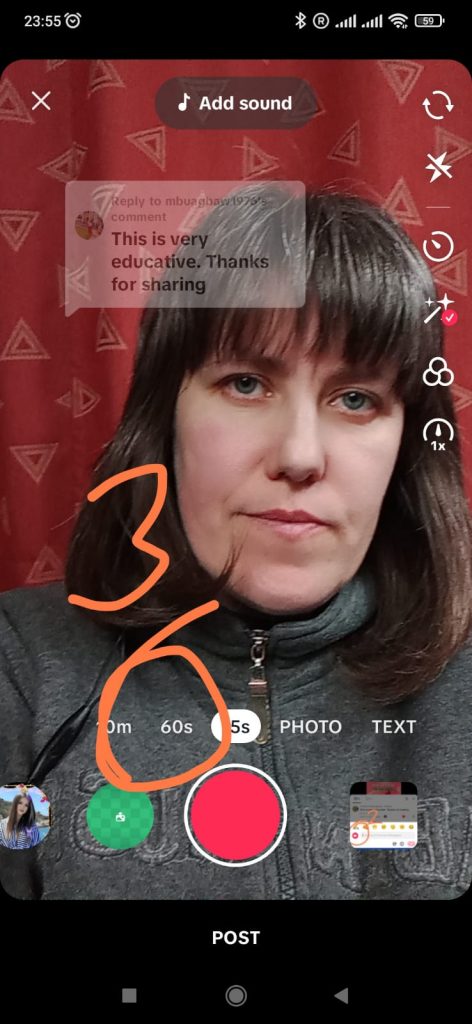
Step 4: Set the time for your video reply
The default time you will have set on your video reply is 15 seconds. If you leave these settings, your video will stop recording at this point. To increase the time of your video, so that you have enough time to respond, choose 60 seconds.
Step 5: Prepare your reel for recording with the following
- Move the question in the text box down so that your face will be visible
- Press the record button every time you talk, release when you need to pause, and press record again to add more to your reply. (You don’t need to do it all in one take)